
On this page
Quick answer
Ask customers right after their visit, give them your direct Google review link or a QR code so it takes seconds, and ask consistently every day. Never offer rewards for reviews, because that breaks Google's rules.
Most of your happy customers will never leave you a Google review. Not because they didn't enjoy the visit. They just leave, get busy, and forget.
That matters, because Google reviews are often the first thing a new customer sees before choosing where to eat, where to get a haircut, or which clinic to call. In this guide you'll learn how to get more Google reviews for your business in a simple, honest way, without chasing anyone or breaking Google's rules.
Key takeaways
- Google reviews build trust and help new customers find you.
- Most customers don't review simply because nobody asked, or it felt like effort.
- Ask every customer the same way, and make it take seconds with a link or QR code.
- Never offer rewards for reviews, and never ask only your happy customers.
Why Google reviews matter for a local business
When someone searches for a café, salon or dentist nearby, they usually compare a few options on Google Maps. The places with more recent, positive reviews look busier and more trustworthy, so they tend to get the click, the call and the visit.

Builds trust
New customers trust what other customers say about you.
Helps you get found
Google says the number of reviews and your review score are part of how it ranks businesses in local search.
Shows you're active
Recent reviews quietly tell customers you're open, busy and still doing a good job.
Wins the visit
The business that looks most trusted tends to get the click, the call and the visit.
Why most happy customers never leave a review
It isn't a lack of goodwill. It's friction:
- Nobody asked them.
- They don't know where to leave one.
- It feels like effort: search your name, find the button, sign in, write something.
- By the time they get home, the moment has passed.

Every step you remove makes it more likely they'll actually do it.
8 ways to get more Google reviews
- 1
Ask at the right moment
The best time to ask is right at the end of the visit, while it's fresh: when a customer pays, when the bill arrives, or as a haircut is finished. Ask every customer the same short, friendly way: "If you have a moment, a Google review really helps us."
- 2
Use your direct Google review link
Don't tell customers to "search for us on Google". Use your direct review link, which opens the review box straight away. Every step you skip means more reviews actually get written.
- 3
Put a QR code where customers can see it
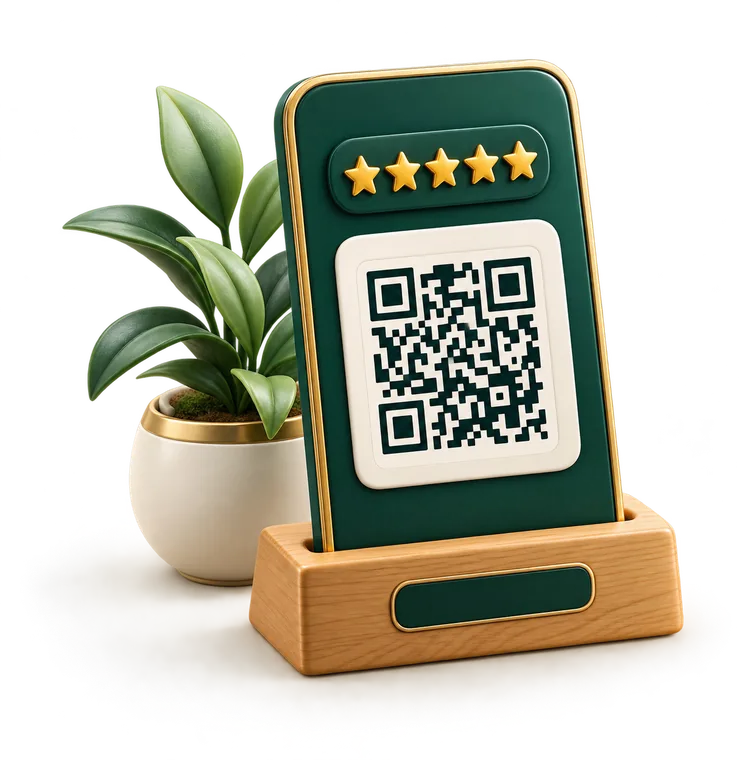
A Google review QR code on your counter, tables or reception desk lets customers leave a review from their phone in seconds, without typing anything. Place it where people naturally pause: at checkout, on the table while they wait for the bill, or by the door.
- 4
Give your team one simple line
Your staff talk to customers all day. Give them one short, natural line to use with every customer at checkout, so asking feels easy instead of awkward or pushy. You'll find ready-made lines in the templates below.
- 5
Add your review link everywhere you already talk to customers
Put your review link on receipts, booking confirmations, follow-up emails, WhatsApp messages and your website. Customers who booked online are often happy to review online.
- 6
Send one gentle reminder
If you have a customer's contact details, a single friendly reminder the next day can make a real difference. Keep it to one reminder, never more.
- 7
Reply to your reviews
Thank people for positive reviews and respond calmly and helpfully to negative ones. It shows new customers that you care, and people are more likely to leave a review when they can see the business actually reads them.
- 8
Keep it steady, not a one-time push
A burst of reviews one month and silence the next looks odd. Asking consistently, every day, keeps a steady flow of fresh reviews, which is exactly what new customers look for.
Copy-and-paste templates to ask for reviews
Pick where you're asking, copy the text, and replace the highlighted parts. Every template asks the same way for every customer, which keeps you within Google's rules.
Thanks so much for coming in today! If you have a moment, a quick Google review really helps us. You can scan the code right here.
How to find your Google review link
- 1Search for your business name on Google while signed in to the account that manages your Google Business Profile.
- 2Click "Ask for reviews" (on some screens it says "Get more reviews").
- 3Copy the short link Google gives you. It usually looks like g.page/r/…
- 4Use that link on your QR code, receipts and messages.
Tip: use this "Ask for reviews" link rather than your normal Maps listing link. It opens the review box directly, so far more customers finish.
What not to do: Google's review rules
Google has clear policies on reviews. Breaking them can get reviews removed or your profile restricted, so avoid:
Offering discounts, freebies or rewards in exchange for reviews.
Buying reviews or using fake accounts.
Writing reviews for your own business, or asking staff and family to.
Pressuring customers or standing over them while they write one.
Insight: Asking only your happy customers for reviews, or screening people first and sending only the satisfied ones to Google, is called review gating. It's not allowed, so ask everyone the same way.
Honest, easy asking beats all of these, and it lasts.
Quick tips by type of business
Restaurants and cafés
Put a small QR stand on each table or in the bill folder. Customers often have a minute while they wait to pay.
Salons and barbershops
Ask at the end of every appointment, when the client sees the result. Keep the QR code at your station or front desk.
Clinics and dentists
Place the QR code at reception and mention it at checkout. Patients are glad to help others find a good clinic.
Plumbers, electricians and cleaners
Send your review link by WhatsApp or text right after the job, while the result is fresh.
Frequently asked questions
How can I get more Google reviews fast?
Start asking every customer today, use your direct review link, and put a QR code at your counter or tables. Consistent, easy asking brings in new reviews within days, not months.
Can I pay for Google reviews?
No. Paying for reviews, or offering rewards for them, is against Google's policies and can get reviews removed or your profile penalized.
How do I create a QR code for Google reviews?
Copy your "Ask for reviews" link from your Google Business Profile, turn it into a QR code, and print it on a stand, card or receipt. Talk2UsNow creates a print-ready QR stand for you automatically.
How many Google reviews do I need?
There's no magic number, but customers compare you with the businesses around you. A steady stream of recent reviews matters more than a big number from years ago.
Should I reply to negative reviews?
Yes. Reply calmly, thank them for the feedback, and offer to put things right. A thoughtful reply often reassures new customers more than the review itself worries them.
We build simple tools that help local businesses get more Google reviews, the honest way: every customer gets the same easy invite.